








Fine-Tuning is the process of taking a pre-trained AI model and training it further on a small, focused dataset so it performs better at a specific task. Instead of building a model from scratch, you reuse its existing knowledge and sharpen it for your exact needs. This saves time, cuts costs, and boosts accuracy. In this guide, you will learn what this process means, how it works, its real benefits, common uses, and how tools like Microsoft Copilot make it easier to try.
What is Fine-Tuning?
This means adjusting a model that has already learned general patterns from huge amounts of data, so it becomes an expert at one narrow task. Think of it like hiring a skilled graduate and giving them two weeks of job-specific training instead of teaching them from kindergarten. The base knowledge is already there — you just add the missing pieces.
What This Means in Simple Words
In plain language, a model first learns "how language or images generally work" during pre-training. Later, it learns "how to do my specific job" during this extra round of training. You keep the general intelligence and simply teach it your rules.
Fine-Tuning vs Training From Scratch
| Aspect | Fine-Tuning | Training From Scratch |
| Data needed | Small, task-specific dataset | Massive, general dataset |
| Time required | Hours to a few days | Weeks to months |
| Cost | Low to medium | Very high |
| Starting point | re-trained model | Random weights |
| Best for | Custom, narrow tasks | Brand new domains or languages |
How Does This Process Work?
Understanding how fine-tuning works is simple once you break it into steps. A pre-trained model is fed new, labelled examples related to your task. It adjusts its internal weights slightly, keeping most of its original knowledge intact while learning fresh patterns from your data.
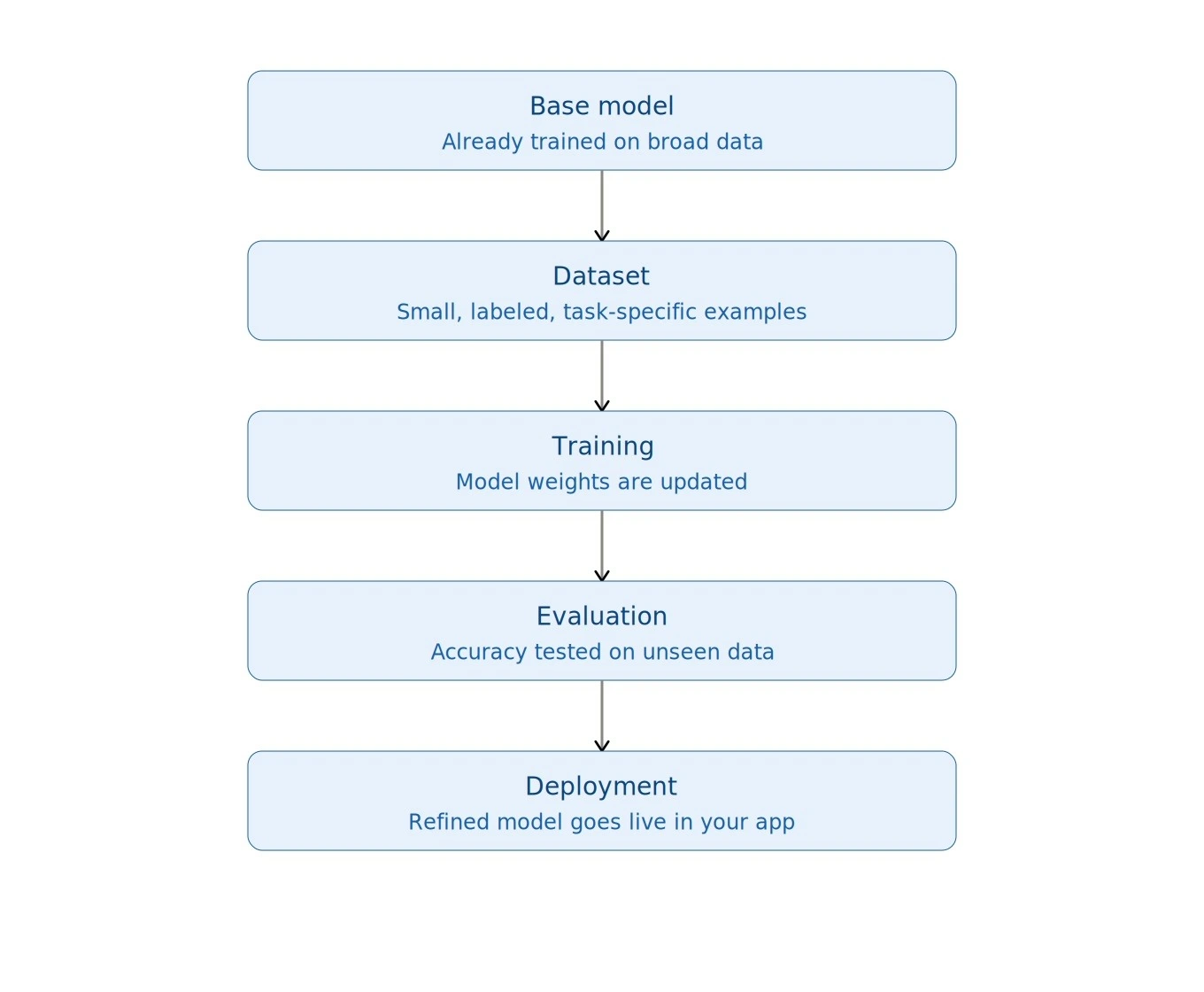
Steps Involved in the Process
-
Select a base model — Choose a model already trained on broad, general data.
-
Prepare your dataset — Collect clean, labelled, task-specific examples
-
Set training parameters — Define learning rate, epochs, and batch size
-
Train the model — Weights are updated using the new, smaller dataset
-
Evaluate performance — Test accuracy on unseen examples
-
Deploy — Use the refined model inside your application
Why It Stays Efficient
This is how fine-tuning stays efficient: it reuses almost the entire original model and updates only the small part that matters for your task. That's why it needs far less compute than building a model from zero.
Why Does This Process Matter in AI?
Fine-tuning matters because general-purpose models are good at everything but great at nothing specific. It bridges that gap by making a model reliable, accurate, and relevant for a particular industry, language, or task.
Where This Matters Most
-
Healthcare: Understanding medical terms and patient notes correctly
-
Legal: Reading contracts using precise legal language
-
Customer support: Matching the brand's tone and product knowledge
-
Coding assistants: Writing code that fits a company's own style
The growing importance of fine-tuning in AI is why almost every company today customises existing models instead of building new ones from the ground up.
What Are the Benefits of Fine-Tuning AI Models?
The biggest benefits of fine-tuning AI models are higher accuracy, lower cost, and faster deployment compared to training a brand-new model. It also lets smaller teams build powerful, specialised AI tools without huge budgets.
Key Benefits at a Glance
-
Higher accuracy — Learns task-specific nuances the base model missed
-
Cost savings — Needs far less compute than full training
-
Faster results — Deployment in days, not months
-
Better personalisation — Matches brand tone and domain language
-
Reduced data needs — Works well with hundreds, not millions, of samples
Real Business Value
Companies that measure the benefits of fine-tuning AI models often report improved customer satisfaction, fewer support tickets, and quicker product launches within just a few weeks of use.
What Are the Common Uses of Fine-Tuning in Machine Learning?
Common uses of fine-tuning in machine learning include chatbots, sentiment analysis, code generation, medical diagnosis support, and content moderation systems.
Popular Use Cases
-
Customer Service — Support chatbots trained on brand FAQs
-
Healthcare — Diagnosis assistance from clinical notes
-
Finance — Fraud and anomaly detection patterns
-
Legal — Contract review and summary assistants
-
Software — Code-completion tools such as Copilot
These real-world cases keep expanding as more businesses adopt AI for daily operations.
A Quick Illustrative Example
Picture an online store's support chatbot that kept fumbling return-policy questions. The team fine-tuned it on about 800 past support tickets and internal policy documents. Within weeks, it resolved far more queries on its own, and average ticket-closing time dropped — without touching the model's core language ability.
What Types of Methods Exist for This Process?
Two broad approaches exist: updating the entire model or updating only a small portion while freezing the rest.
Full Model Update
Every layer and parameter is retrained. It gives strong results but needs more data, time, and computing power.
Parameter-Efficient Method (PEFT)
Only a small set of new parameters (like LoRA adapters) are trained, while the original model stays frozen. It is faster, cheaper, and easier to run on regular hardware. In short: the full method needs high compute but offers maximum flexibility through direct model training, while PEFT (LoRA) needs low compute, offers moderate-to-high flexibility, and typically runs through the Hugging Face PEFT library.
How Do Data Scientists Use This Process in Real Projects?
In Data Science course, this technique is a core skill for adapting pre-trained models to company-specific datasets without retraining everything from scratch.
Typical Workflow Steps
Most Data Science teams now treat this step as standard practice, placed right after data cleaning and before final deployment. A typical flow looks like: collect data → clean and label it → adjust a base model → validate results → ship to production.
How Can You Customise a Model Using Microsoft Copilot?
You don't always need to code to try this. Tools like Microsoft Copilot Studio let you customise an AI agent's responses using your own documents, tone, and rules — a simplified, no-code form of Fine-Tuning.
Steps to Customise Copilot for Your Task
-
Open Copilot Studio and create a new custom agent (Place a screenshot here: Copilot Studio home screen)
-
Upload your own documents or FAQs as the knowledge source (Place a screenshot here: Knowledge source upload panel)
-
Adjust tone, instructions, and response style in settings (Place a screenshot here: Agent instructions panel)
-
Test the agent with sample questions (Place a screenshot here: Test chat window)
-
Publish and monitor its performance over time.
Note: Since Copilot's interface is Microsoft's own product design, capture these screenshots directly from your Copilot Studio account while following the steps above — this keeps your visuals accurate, original, and up to date.
What Are the Challenges of This Process?
The main challenges are overfitting on small datasets, the risk of losing some original general knowledge, and the need for clean, well-labelled data. Poor quality data can make results worse, not better.
How to Reduce These Risks?
-
Use a validation set to catch overfitting early
-
Keep the dataset varied, not repetitive
-
Start with a smaller learning rate to protect existing knowledge
-
Review sample outputs manually before full rollout
What's the Best Way to Get Started With This Process?
This process is no longer just a research term — it is a practical, everyday tool used across healthcare, finance, coding, and customer support. Once you understand how it works and where to apply it, you can turn any general AI model into a specialist built exactly for your needs. You don't need a huge team or a massive budget to get started—even small, well-labelled datasets can produce noticeable improvements. As more no-code tools like Copilot Studio become available, this kind of customisation is becoming accessible to non-technical users too. The key is to start small, test often, and refine your data before scaling up to bigger, more complex tasks.
What Do People Also Ask About Fine-Tuning?
1. Is this different from prompt engineering?
Yes. Prompt engineering changes only the input text, while this method updates the model's internal weights.
2. Is it expensive?
It is far cheaper than training from scratch, and methods like PEFT make it affordable even for small teams.
3. Can it cause overfitting?
Yes, if the dataset is too small or repetitive. Using varied, quality examples helps prevent this.
4. How much data do you need?
Even a few hundred well-labelled examples can produce noticeable improvement, though more data usually gives better results.