








User personas are research-based, semi-fictional profiles of real user groups, covering goals, frustrations and habits. They help product, design, marketing, and Scrum teams choose what to build by keeping one clear person in mind.
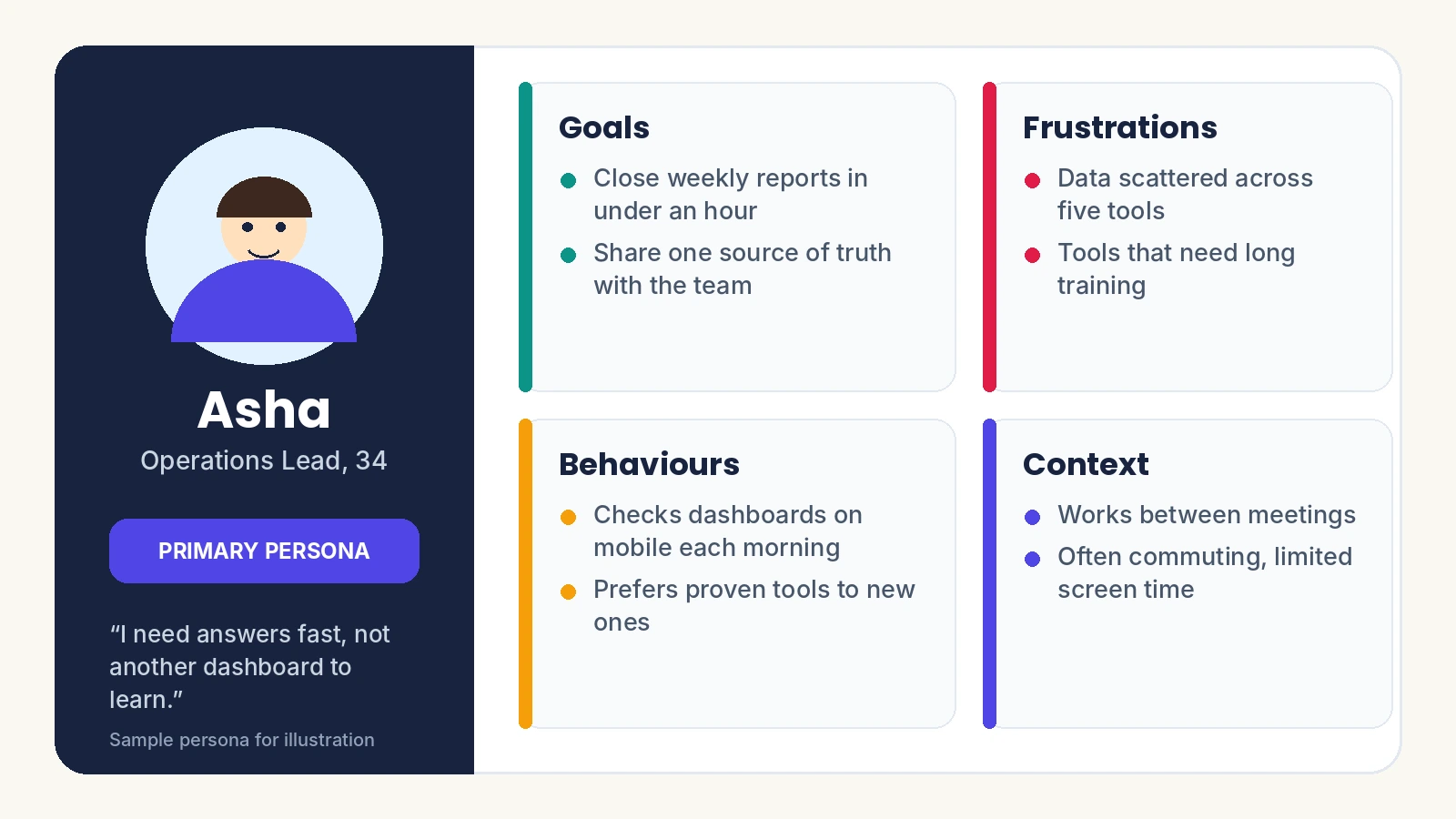
Explanation for User Persona
A persona is a fictional character built from real research to represent one segment of your audience. It shows who the person is, what they want and what blocks them, so teams design for a specific human instead of everyone.
Where Did the Idea Come From?
Software developer Alan Cooper is credited with the idea. It began in software and UX design, then spread to marketing, sales, healthcare and education.
How Is a Persona Different From an Audience Profile?
The audience profile describes a broad group with high-level demographics. A persona goes deeper into behaviour, motivation, pain points and context, which makes it useful for daily product decisions.
Why Do Teams Use Personas?
Teams use personas to replace guesswork with a shared picture of the customer. That speeds up decisions and exposes bias. A developer who loves keyboard shortcuts may overbuild them for a persona who works mostly on a phone. Shared user personas also give product, design, marketing and engineering one common language, so debates move from personal preference to what this user needs.
What Should a Persona Include?
A persona should include a name, summary, goals, frustrations, behaviours, context and attitudes. If you need to define a user persona quickly, use one key demographic, one goal and one barrier.
-
Name and summary: who this is, such as Asha, 34, operations lead.
-
Goals: what they want, such as finishing weekly reports in an hour.
-
Pain points: what blocks them, such as data scattered across five tools.
-
Behaviours: how they act, such as checking dashboards on mobile each morning.
-
Context: when and where they use it, such as between meetings while commuting.
-
Attitudes: what shapes trust, such as preferring proven tools.
How Much Detail Is Enough?
A name, a photo and one or two goals are enough to begin, and you can add detail whenever it changes a decision. When you define user persona goals, make them specific and measurable.
How Does User Persona Creation Work?
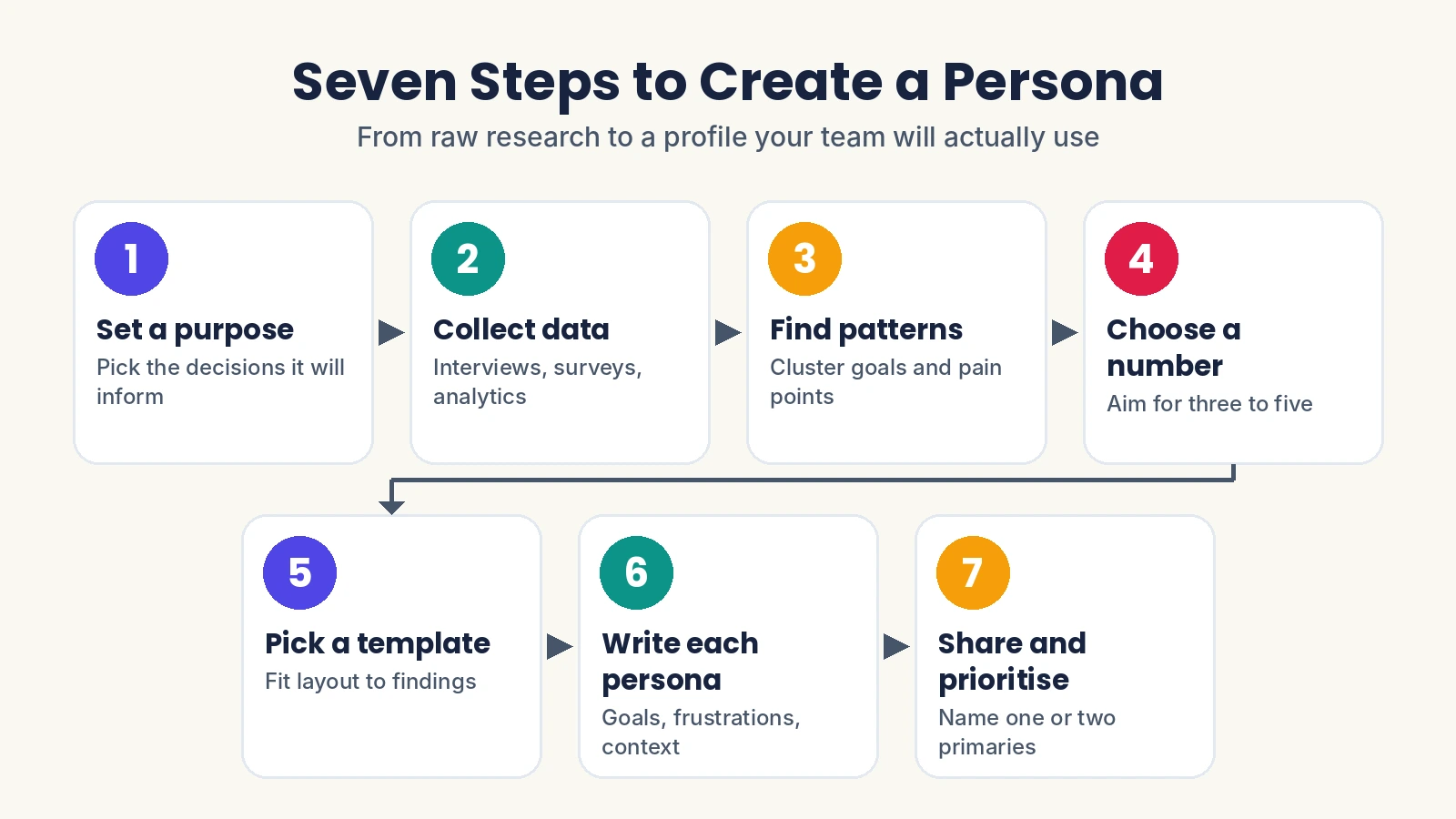
It works in seven steps that turn raw research into a few clear profiles.
| Step | Action | Output |
| 1. Set a purpose | Decide which decisions the personas will inform | Clear scope |
| 2. Collect data | Use interviews, surveys, analytics, support tickets | Raw evidence |
| 3. Find patterns | Cluster goals and pain points with affinity mapping | User segments |
| 4. Choose a number | Aim for three to five | Short list |
| 5. Pick a template | Fit the layout to your findings | Persona format |
| 6. Write each persona | Add goals, frustrations, behaviours, context | Draft profiles |
| 7. Share and prioritise | Mark one or two primary personas and publish them | Working tools |
Which Research Methods Work Best?
Interviews reveal motivation, surveys add scale, and usability tests or session replays show real behaviour. A handy rule: when half or more of survey answers share one goal and demographic, you have found your first persona. To build user personas you can trust, validate drafts through interviews, surveys, A/B tests or analytics.
What Types of Personas Exist?
Teams mainly use three types: primary, secondary and negative. A primary persona is your main user group and drives most decisions. A secondary persona is a smaller group with distinct needs that stress-tests those decisions. A negative persona is someone you deliberately do not design for, which prevents scope creep.
How Many Personas Do You Need?
Three to five suits most teams. Start with three to five user personas, because one is too generic and a crowd blurs priorities.
What Is a Real-World Example of Personas in Action?
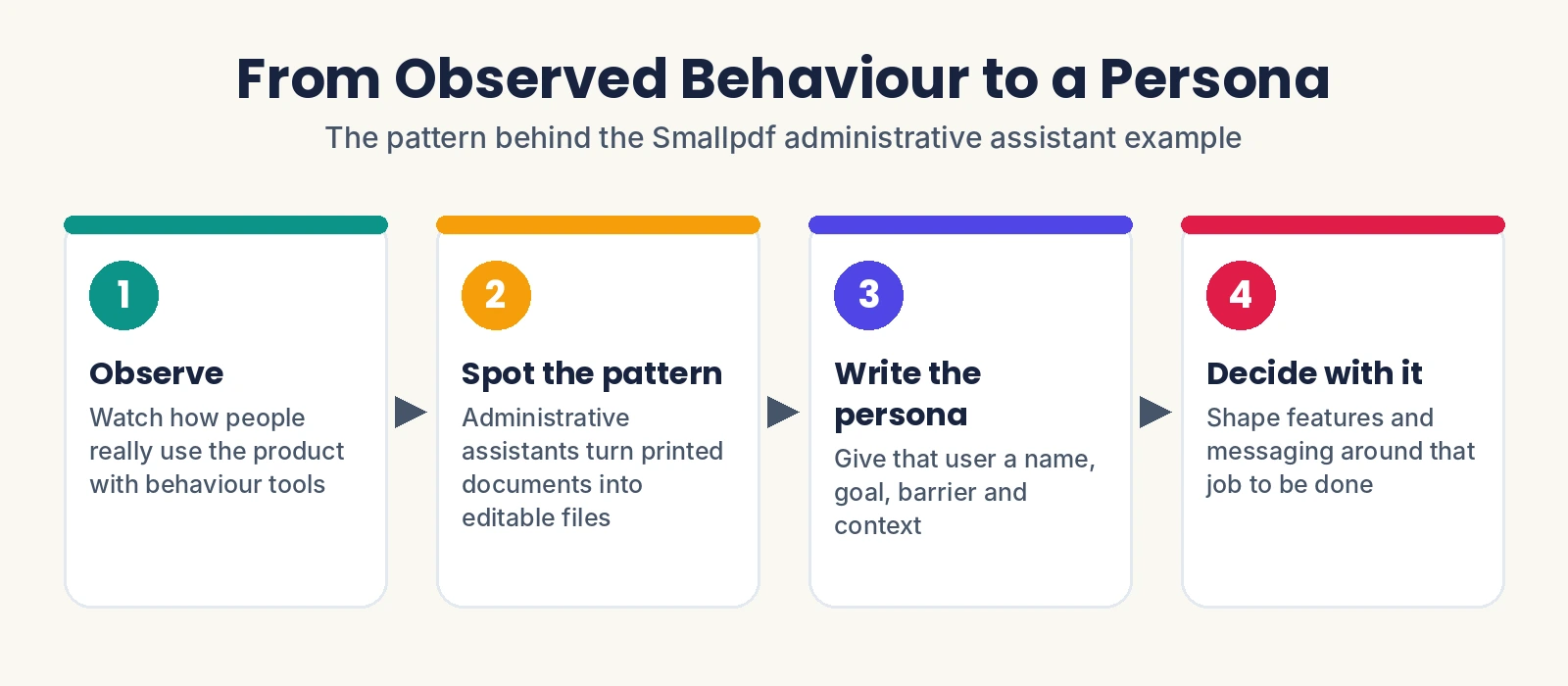
Smallpdf is a clear case. Using Hotjar, the company found that administrative assistants use its tools to turn printed documents into editable files, which gave the team a concrete persona to design for.
Smallpdf and the Administrative Assistant
The findings came from watching behaviour rather than guessing. Among user persona examples, this one stands out because the evidence is observed, not invented. Once a team knows what job this person is trying to finish, features and messaging gain a target.
Other User Persona Examples Worth Studying
Zendesk's distributed UX team keeps personas, user needs and early sketches on one shared Miro board so regions stay aligned. Swiggy's "busy professional" persona, shared by Crayon'd, shows how a food delivery app can frame a time-poor user.
How Do Teams Use Personas Day to Day?
Teams use them as a filter for every decision by asking, "Which persona does this serve?" In planning, that question trims edge cases from the roadmap. In design and content work, it shows where a persona may get confused and what information they need at each step.
What Are the Limits of Personas?
A persona cannot predict everything a real customer wants. It offers guardrails, not certainty, so keep talking to actual users and test assumptions with data.
How Do Personas Fit Scrum Teams?
Personas are an optional tool in Scrum, not part of the framework, yet many teams use them to tie sprint work to real customer needs. If you are exploring CSM Training, treat personas as an extra that sits beside user stories: one persona can spawn several stories, though teams can use either alone. Treat user persona creation as a team workshop, with the product owner guiding and everyone contributing. Scrum Masters who have completed CSM Training can facilitate this workshop and keep user personas visible beside the backlog.
What Mistakes Make Personas Fail?
Personas fail when they rest on assumptions, lean on demographics alone, stay generic, sit unseen in a slide deck or never get refreshed. The fixes are simple:
-
Ground every trait in interviews, analytics, or support data.
-
Prioritise behaviour and motivation over age and location.
-
Keep each persona distinct, never interchangeable.
-
Publish them where product, design and engineering already work.
How Often Should Personas Be Updated?
Review them after a major release, a new market launch or fresh research, because user needs shift over time.
Ready to Put Personas to Work?
Yes. Personas pay off when evidence comes first and sharing comes second. Start small, prove the value, then scale:
-
Start with one: draft a single primary profile from real interviews, surveys or analytics.
-
Validate it: test it against actual users before the team relies on it.
-
Keep it alive: share it where work happens and refresh it as users change.
Whether your user persona creation supports a startup app or a Scrum backlog, browse user persona examples, build user personas from real data and let one clear person guide every decision. Your users will feel the difference.
What Do People Ask Most About Personas?
1. Can small teams use personas without a research budget?
Yes. A short survey, a few interviews and existing support tickets are enough for one starter profile.
2. Do personas need real names and photos?
No. An invented name and picture simply make the profile feel human and easy to remember.
3. Where can you find a persona template?
Miro and Contentsquare both publish ready-made templates you can adapt to your own research.
4. How do you avoid stereotypes in personas?
Base each trait on observed behaviour and motivation, not assumptions about age, gender or location.